ProDesk
ProDesk, Protolabs’ collaborative online environment, does more than simply quote a price. It provides a single resource for quality custom parts at speed. Experience AI-generated quoting with advanced design for manufacturability analysis, seamless navigation, and enhanced capabilities. ProDesk is your go-to digital manufacturing resource to accelerate prototyping and production projects from start to finish.
Start a Project
1. Once signed in, you’ll arrive at your ProDesk Home Page. Here, you can elevate the tasks you do most: get quotes fast, reorder with ease, connect with production experts, access recent activity, and stay up to date on the latest platform enhancements.
2. Just hit Get a New Quote, Start a Production Project, or Reorder Parts to begin your project or continue where you left off. Here you’ll be asked to name your project.
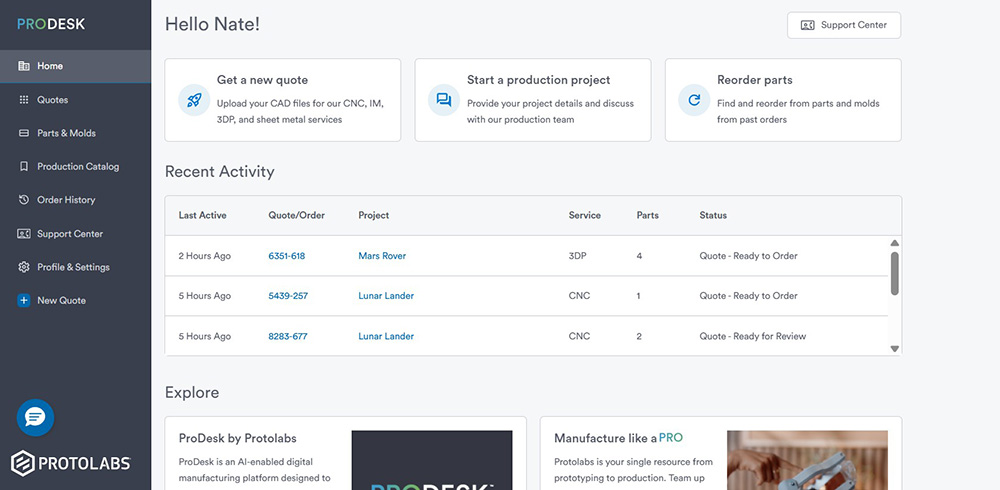
3. Once you’ve named your project, click Get a new quote, and create or select a project.
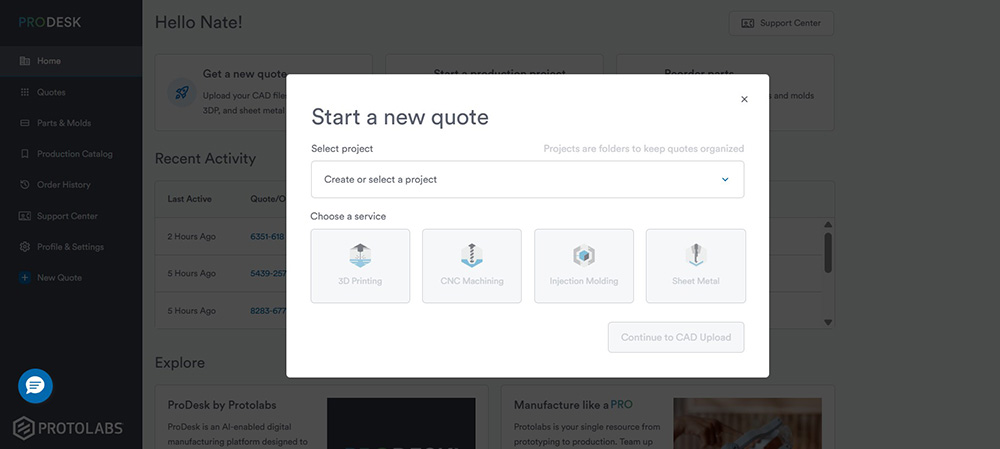
4. Finally, select your service: injection molding, CNC machining, or 3D printing
Upload Your Part
Upload one (or multiple) 3D CAD files by browsing your saved files or via our drag-and-drop interface.
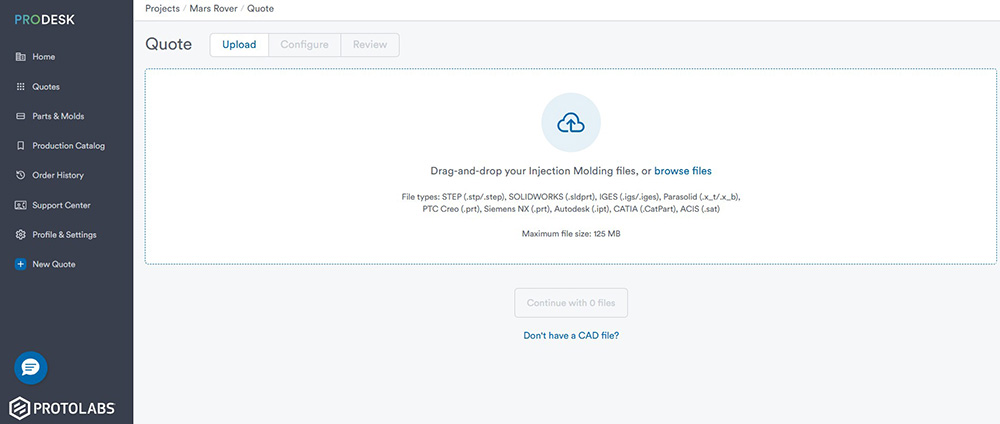
| Accepted File Formats | |
|---|---|
|
|
Configure Your Part Quote
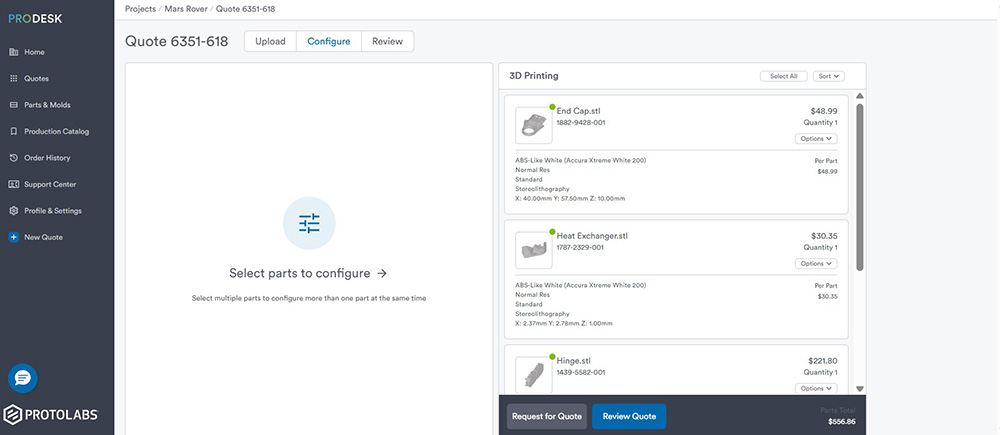
1. Once you’ve uploaded your CAD file/s to your project, click Continue to start configuring your part.
2. Select materials, secondary operations, and finishing options.
3. When you’re all set, hit Analysis. You’ll receive an interactive quote with free manufacturing analysis—often within 20 minutes.
Review Your Order
1. You’ll receive an email that allows you to jump back into your project and Review & Order your quoted parts.
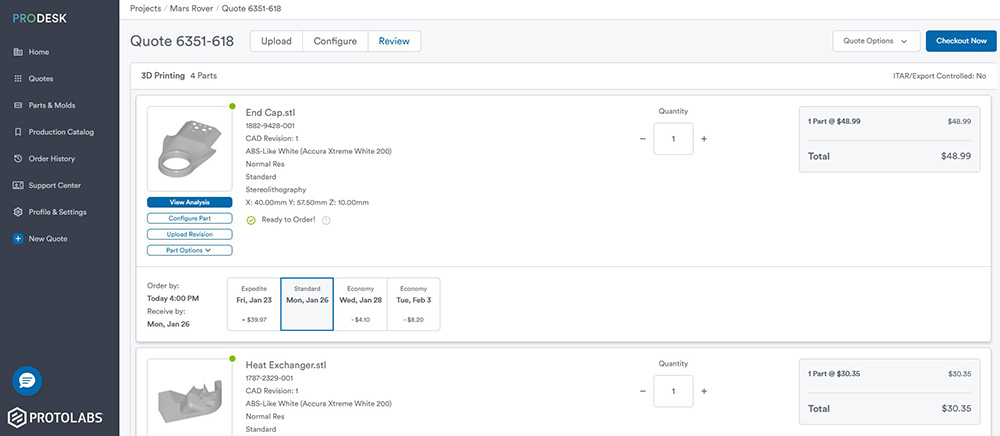
2. Your quote includes real-time pricing and manufacturing analysis based on your selections.
3. Adjust part quantity and shipping.
4. Updated pricing based on your selections is reflected in your quote. With 3D printing, instantly view how changes in additive materials and resolution levels impact pricing.
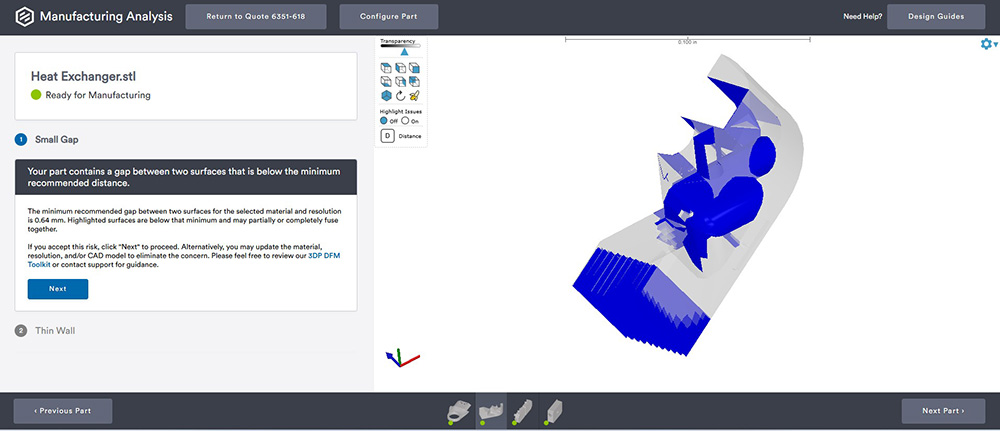
Manufacturing Analysis
- Small green, yellow, and red icons at the bottom of your specific part quote indicate areas where attention is needed.
- Draft, wall thickness, hole features, and many other variables depending on the manufacturing service your using are looked at as well as features that are potentially troublesome.
- Recommended changes are optional, but your analysis is designed to improve manufacturability.
- Required changes mean you'll need to update your part geometry based on the feedback and upload a new CAD file to proceed with your order.
Checkout
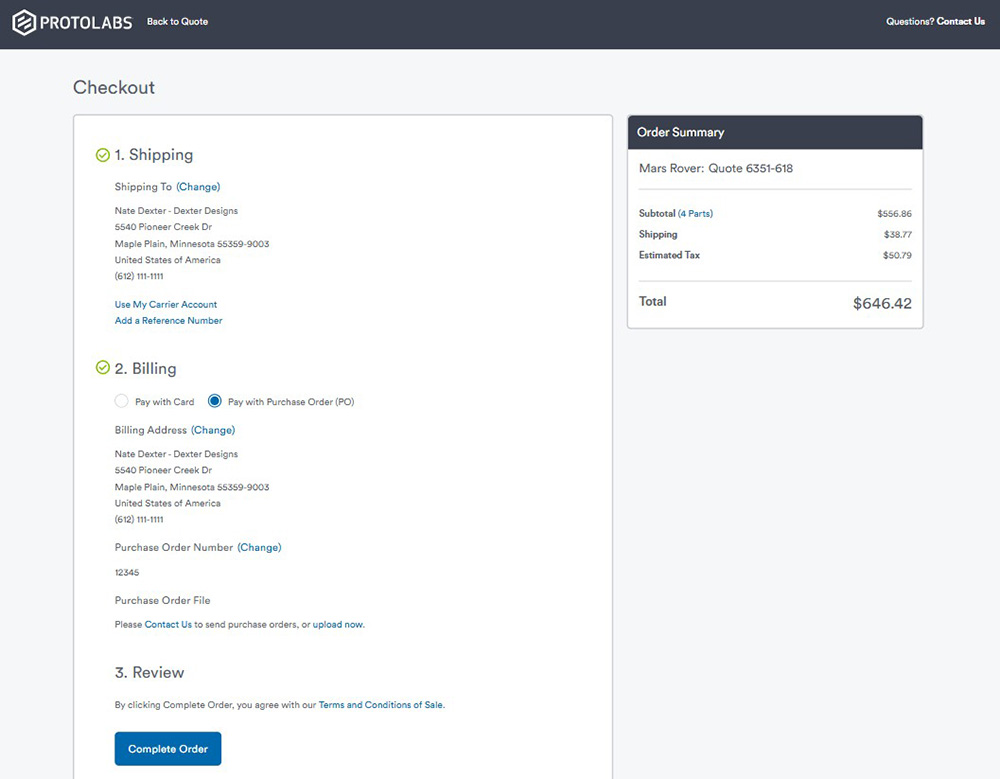
1. Part design is now optimized with modifications addressed, and your pricing and shipping details are ready to go. Click Checkout Now in the Review & Order page
2. Plug in shipping info (reference number, drop ship address, export docs), billing info (CC or PO), confirm the details, and hit Complete Order