
Laser Engraving for 3D-Printed Parts
Custom secondary finish to enhance your 3D-printed parts

What is Laser Engraving?
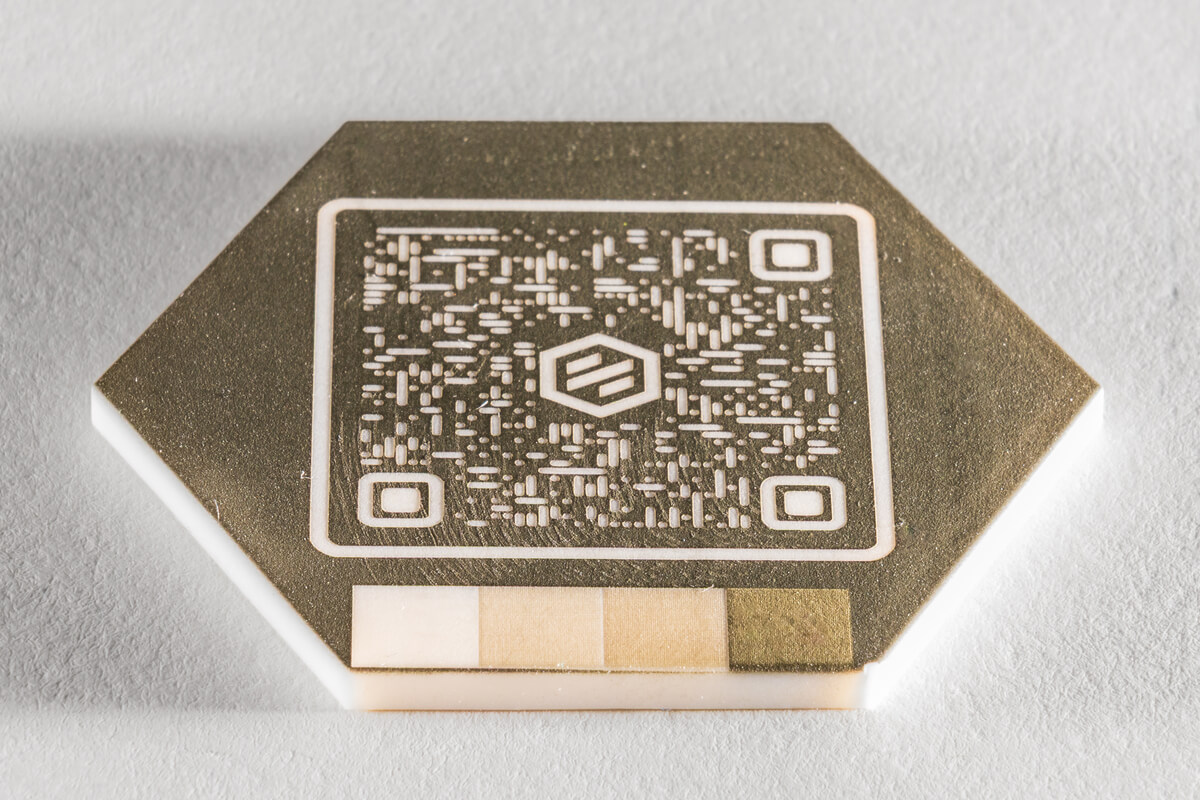
Laser engraving is a precise, permanent surface-marking technique that adds functionality and branding to your 3D-printed parts. This process is commonly used for part marking, serialization, ID and QR codes, and logo applications across a variety of industries.
Benefits of Laser Engraving

Durability
Laser engraving creates long-lasting markings that resist wear, chemicals, cleaning, and UV exposure. Unlike stickers, inks, or paint, these markings will not peel, fade, or rub off over time.

High Resolution and Consistency
Achieve crisp logos, fine text, and scannable codes with excellent repeatability across production runs.

Late-Stage Customization
Engrave variable data after parts are printed—no need to modify CAD files or reprint parts. This is ideal for small batches, serialization components, and version control.

Aesthetics
Deliver professional, consistent branding with a clean, precise process that enhances the final appearance of your part.
Design Guidelines for Laser Engraved Parts
Laser engraving is currently available for plastic 3D-printed parts. The following materials allow for engraving without post-processing:
|
|
All other plastic materials can be engraved if coated with Cerakote or paint. For the best results, use high-contrast color combinations between the base material and the coating.
The minimum text size for laser engraving is: 0.5mm or 0.02 in.
The maximum marking size for laser engraving is: 190.5 mm x 190.5 mm or 7.5 in. x 7.5 in.
To ensure accurate and repeatable engraving, please provide:
- A drawing that clearly indicates the marking location on the part
- The exact size, content, and orientation of the engraving
- Coating type and color, if applicable
- Artwork files in one of the following formats
- SVG*
- AI*
- EPS*
- PDF*
- CDR*
- JPG
- PNG
- BMP
- TIF
*Preferred file type
Note: Vector files are strongly recommended for the sharpest, most scalable results.
- Use high-contrast combinations between the base material and any coating for maximum readability
- Keep text at or above the minimum size; thin strokes or very fine details may not reproduce well below 0.5mm.
Adding Laser Engraving to Your Parts
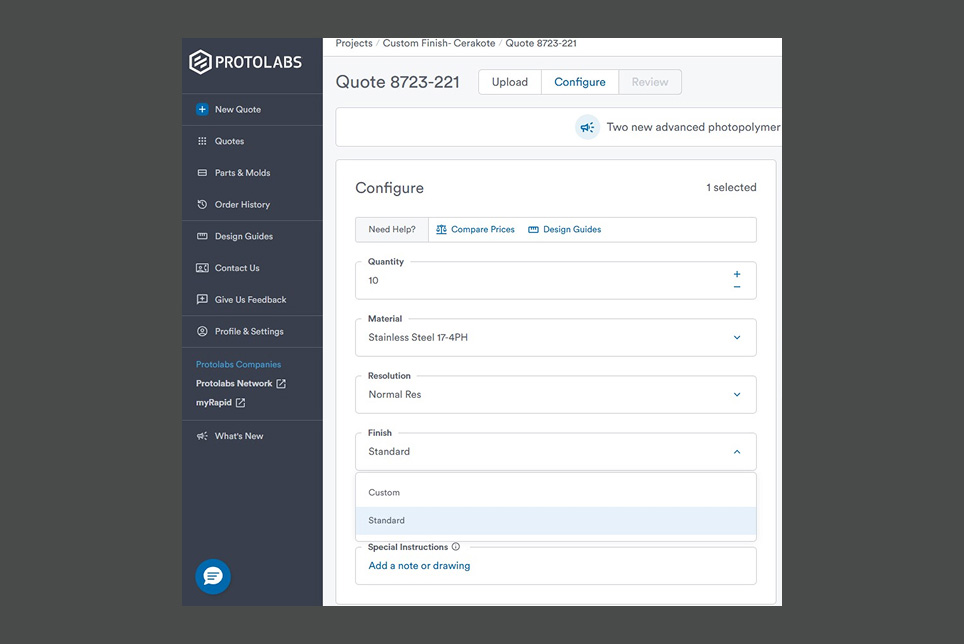
Step 1
When configuring your quote, select "Custom" from the finish drop-down menu.
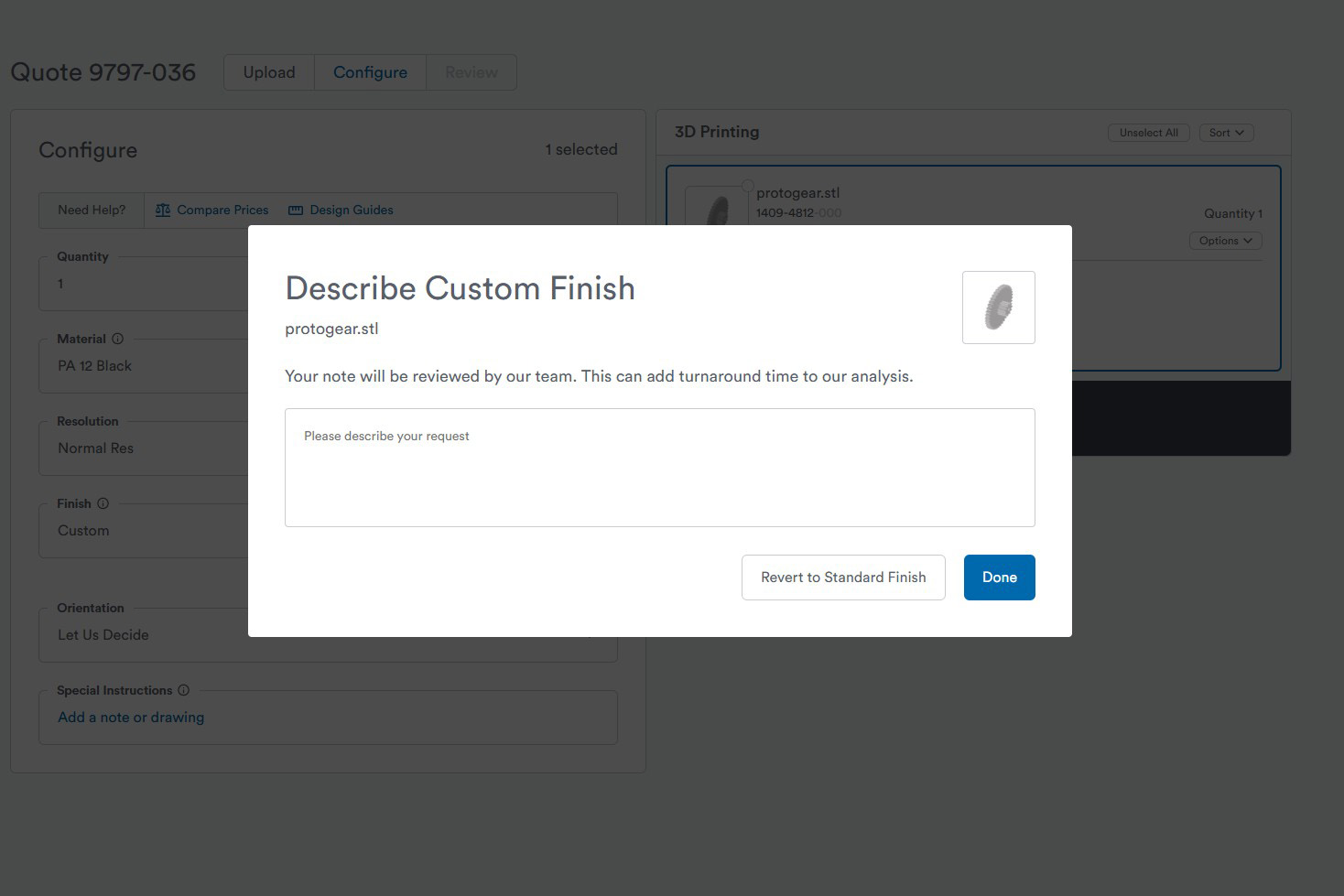
Step 2
In the text field, specify laser engraving and include:
- The drawing showing the marking location
- Artwork file(s) in the preferred format
- Coating requirements (if applicable)
- Desired final size and placement details
Your request will trigger a manual review. An applications engineer will follow up to confirm details and provide recommendations based on your part requirements.
Step 3
You will receive a link to the final quote including the correct custom finishing. Place your order and wait for your custom finished parts to arrive!